> ## Documentation Index
> Fetch the complete documentation index at: https://docs.pawapay.io/llms.txt
> Use this file to discover all available pages before exploring further.
# Payment Page
## Overview
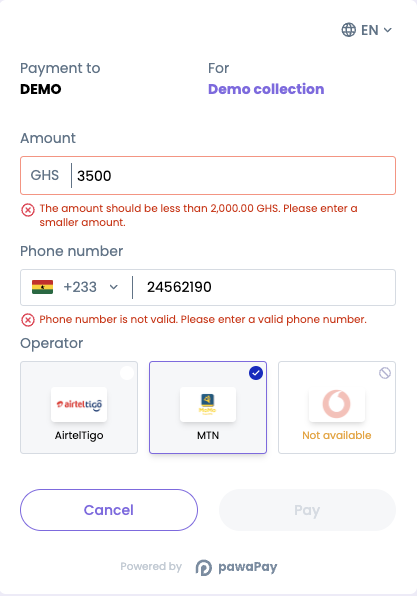
The PawaPay Payment Page allows you to rapidly integrate mobile money into your website or mobile app providing:
* A user experience for your customers that is optimised for mobile money.
* Responsive design that works on desktop and mobile.
* Low code integration supporting all countries and MMOs.
* Support for both e-commerce and e-wallet use cases.
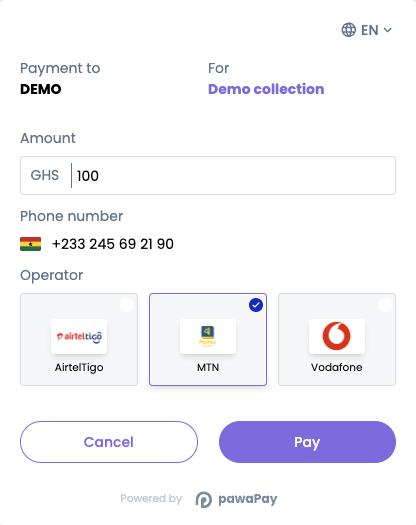
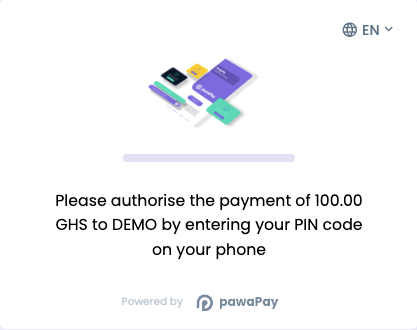
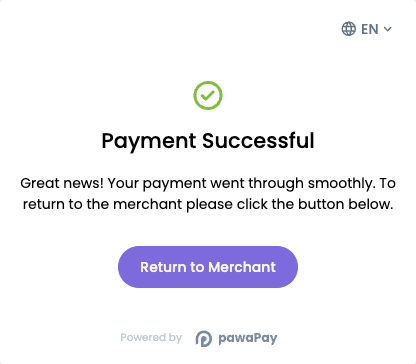 It is also integrated with the rest of the PawaPay Merchant API, providing benefits such as:
* Phone numbers are validated to be in the correct format.
* The MMO to use for the payment is predicted based on the entered phone number.
* Minimum and maximum transaction limits are always up to date.
* When new countries or MMOs are enabled, they are available for your customers immediately.
* Information about MMOs having downtime is integrated into the user experience.
* And many more improvements to come...
It is also integrated with the rest of the PawaPay Merchant API, providing benefits such as:
* Phone numbers are validated to be in the correct format.
* The MMO to use for the payment is predicted based on the entered phone number.
* Minimum and maximum transaction limits are always up to date.
* When new countries or MMOs are enabled, they are available for your customers immediately.
* Information about MMOs having downtime is integrated into the user experience.
* And many more improvements to come...
 ## Implementation
Using the payment flow in your deposit or checkout experience is simple:
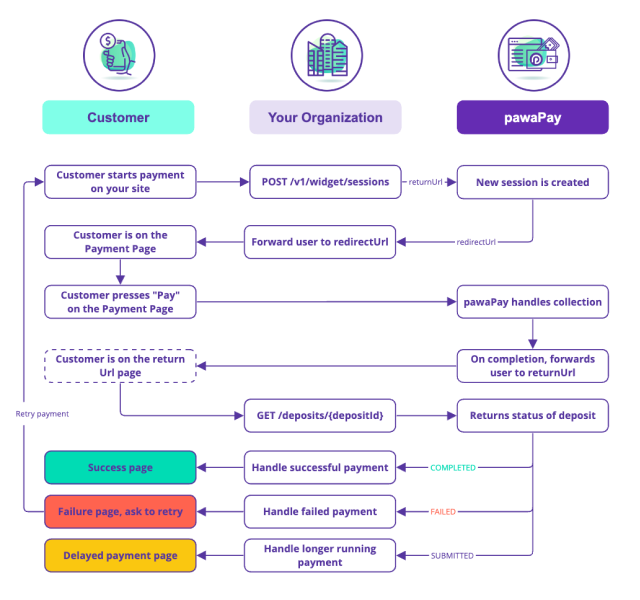
When it's time for the customer to pay, [start a new session](/v1/api-reference/payment-page/deposit-via-payment-page). **The session will time out after 15 minutes.**
Forward the customer to the `redirectUrl` provided in the response.
The customer will complete the payment on the Payment Page and will be forwarded to `returnUrl`.
Your page on `returnUrl` should [check the status](/v1/api-reference/deposits/check-deposit-status) of the payment. The `depositId` will be passed as a URL parameter.
Based on the `status` of the payment, handle it as a successful, failed or long running payment.
## Implementation
Using the payment flow in your deposit or checkout experience is simple:
When it's time for the customer to pay, [start a new session](/v1/api-reference/payment-page/deposit-via-payment-page). **The session will time out after 15 minutes.**
Forward the customer to the `redirectUrl` provided in the response.
The customer will complete the payment on the Payment Page and will be forwarded to `returnUrl`.
Your page on `returnUrl` should [check the status](/v1/api-reference/deposits/check-deposit-status) of the payment. The `depositId` will be passed as a URL parameter.
Based on the `status` of the payment, handle it as a successful, failed or long running payment.