> ## Documentation Index
> Fetch the complete documentation index at: https://docs.pawapay.io/llms.txt
> Use this file to discover all available pages before exploring further.
# Security
The 'Security' tab, located under the 'User Management' page, is visible only to users with an Administrator [role](/dashboard/user_management/user_roles).
 ## Two-factor authentication
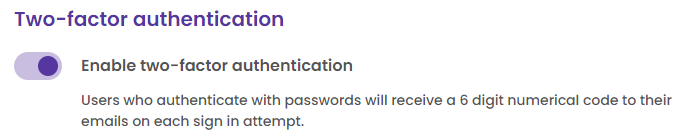
You can enable two-factor authentication for users who do not use Google as a sign-in option. When enabled, users will receive a six-digit numerical code via email with each sign-in attempt.
## Two-factor authentication
You can enable two-factor authentication for users who do not use Google as a sign-in option. When enabled, users will receive a six-digit numerical code via email with each sign-in attempt.
 ## Google authentication
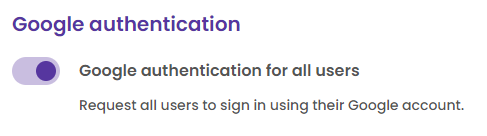
If you are using Google Workspace for your emails, you can require all users to authenticate with Google.
This means that any active user who currently signs in with a password will no longer be able to use their credentials and will be directed to authenticate with Google.
Additionally, all new users will only have the option to confirm their registration through Google authentication.
## Google authentication
If you are using Google Workspace for your emails, you can require all users to authenticate with Google.
This means that any active user who currently signs in with a password will no longer be able to use their credentials and will be directed to authenticate with Google.
Additionally, all new users will only have the option to confirm their registration through Google authentication.
 Any active user who currently signs in with a password will no longer be able to use their credentials and will be directed to authenticate with Google!