> ## Documentation Index
> Fetch the complete documentation index at: https://docs.pawapay.io/llms.txt
> Use this file to discover all available pages before exploring further.
# Inviting users
Our dashboard uses an invite-based user management system. All users invited will get an email with instructions on how to activate their account.
This functionality is available to users with the User Management role. Read more about [User roles](/dashboard/user_management/user_roles).
## Inviting a new user
All users are invited to the dashboard based on their email address.
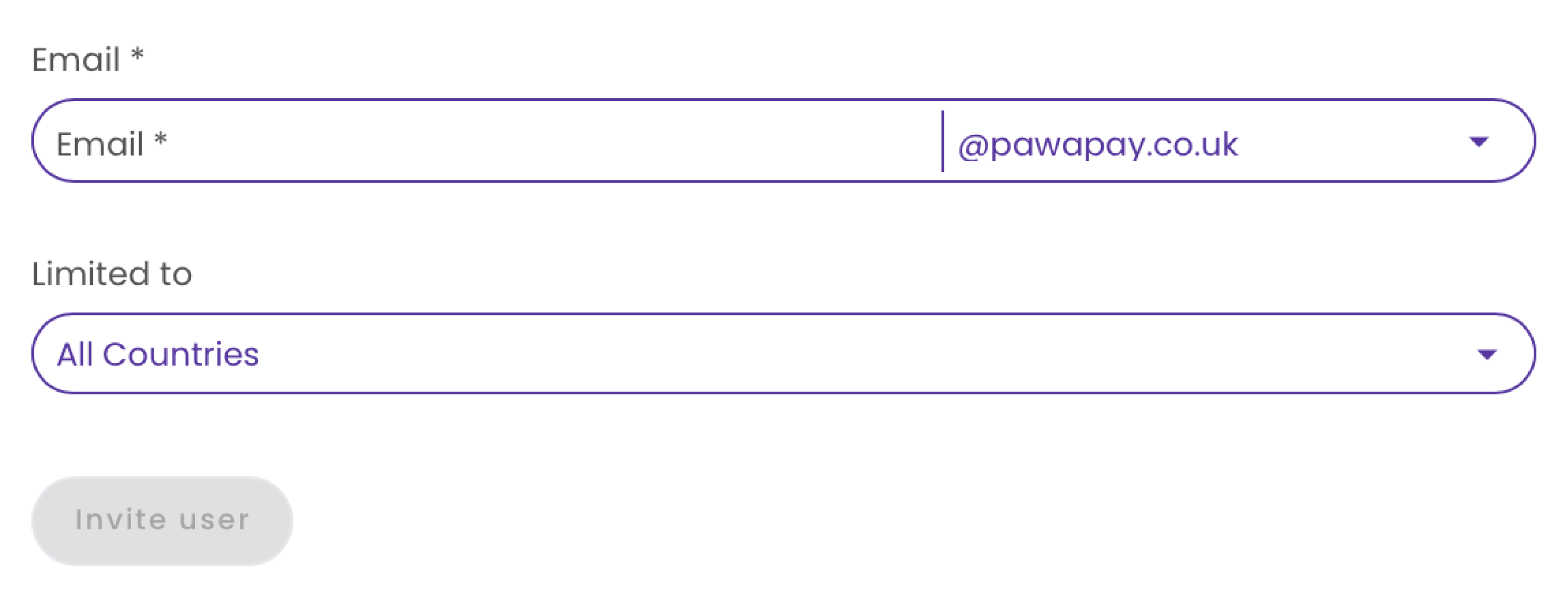 You can limit this user to only see transactions and wallets from specific countries by specifying them in the "Limited to" dropdown.
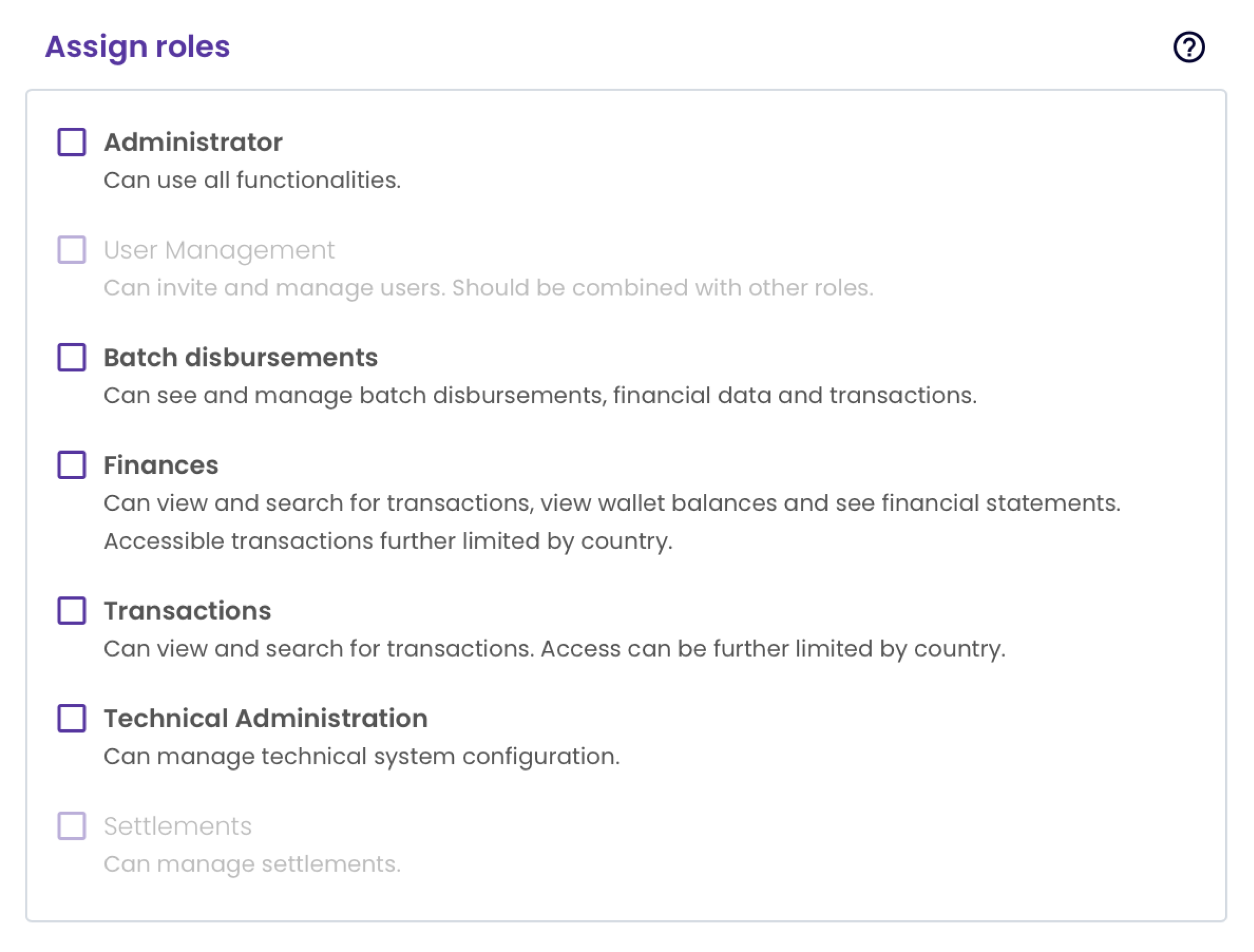
Choose the appropriate roles for the user based on what tasks they need to perform in the dashboard.
Read more about country limits and our [User roles](/dashboard/user_management/user_roles).
You can limit this user to only see transactions and wallets from specific countries by specifying them in the "Limited to" dropdown.
Choose the appropriate roles for the user based on what tasks they need to perform in the dashboard.
Read more about country limits and our [User roles](/dashboard/user_management/user_roles).
 You can read more about the activation flow for the user from [Signing into the PawaPay Dashboard](/dashboard/signing_in).
You can only invite other users using roles and country limitations that are active on your user.
You can read more about the activation flow for the user from [Signing into the PawaPay Dashboard](/dashboard/signing_in).
You can only invite other users using roles and country limitations that are active on your user.