> ## Documentation Index
> Fetch the complete documentation index at: https://docs.pawapay.io/llms.txt
> Use this file to discover all available pages before exploring further.
# How to log in
The PawaPay Dashboard supports two methods of user authentication: traditional password-based authentication and Google-based authentication.
If you opt for Google-based authentication, your organization must already utilize [Google Workspace](https://workspace.google.com/), or a comparable service where Google manages email addresses. This feature facilitates a seamless login process, allowing users to access the Dashboard using their existing Google accounts.
We recommend forcing 2-step verification on your Google Workspace account for increased security.
## Logging into the dashboard
#### Authentication with username and password
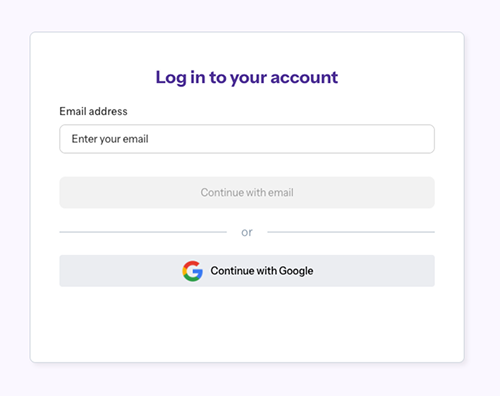
Go to our [log in page](https://dashboard.pawapay.io/), enter your email address, and press "Continue with email".
 Enter your password and press "Continue with email".
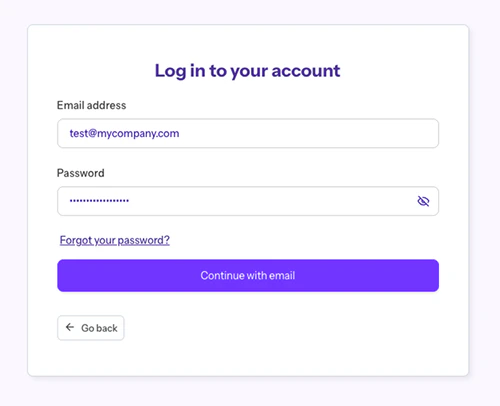 Our dashboard follows [OWASP AVSV Level 3](https://owasp.org/www-pdf-archive/OWASPApplicationSecurityVerificationStandard3.0.pdf) password policy.
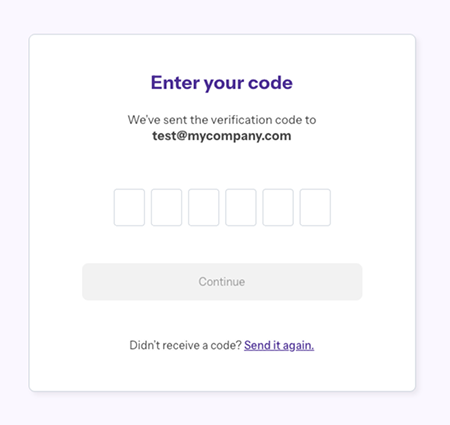
Unless you've selected the "Remember me" checkbox, which remembers your device for 30 days (up to 3 devices), you'll be prompted for a verification code (OTP) — this is sent to your email. Enter the code and press "Continue" to be redirected to the PawaPay Dashboard.
Our dashboard follows [OWASP AVSV Level 3](https://owasp.org/www-pdf-archive/OWASPApplicationSecurityVerificationStandard3.0.pdf) password policy.
Unless you've selected the "Remember me" checkbox, which remembers your device for 30 days (up to 3 devices), you'll be prompted for a verification code (OTP) — this is sent to your email. Enter the code and press "Continue" to be redirected to the PawaPay Dashboard.
 #### Authentication with Google
Go to our [log in page](https://dashboard.pawapay.io/) and select "Continue with Google". There's no need to enter your email here.
If you've chosen Google as your authentication method, the Dashboard will present you an option to authenticate via signing in with your Google account.
#### Authentication with Google
Go to our [log in page](https://dashboard.pawapay.io/) and select "Continue with Google". There's no need to enter your email here.
If you've chosen Google as your authentication method, the Dashboard will present you an option to authenticate via signing in with your Google account.
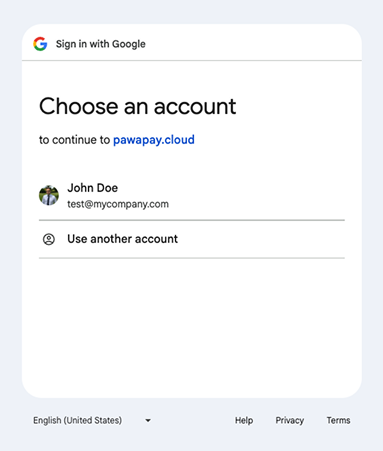 When using multiple Google accounts (i.e., business and personal), make sure you choose the account that was used to invite you to our Dashboard.
### Resetting your password
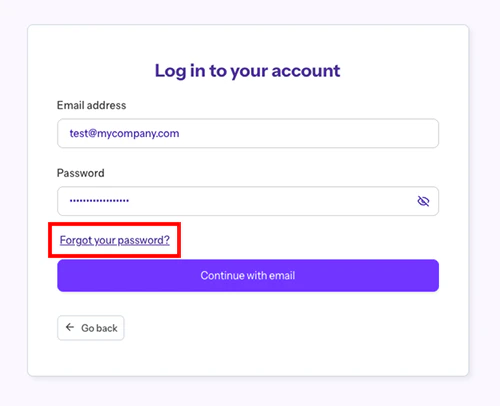
Enter your email on our [log in page](https://dashboard.pawapay.io/) and press "Continue with email". Then select "Forgot your password?".
When using multiple Google accounts (i.e., business and personal), make sure you choose the account that was used to invite you to our Dashboard.
### Resetting your password
Enter your email on our [log in page](https://dashboard.pawapay.io/) and press "Continue with email". Then select "Forgot your password?".
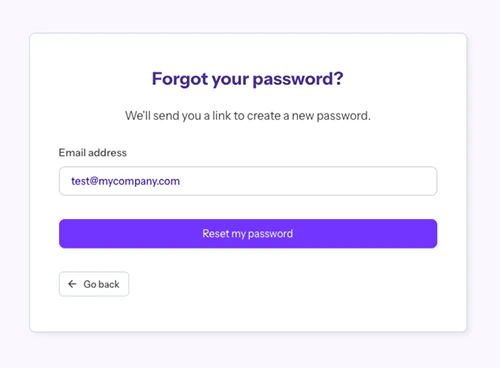
 Enter your email and press "Reset my password".
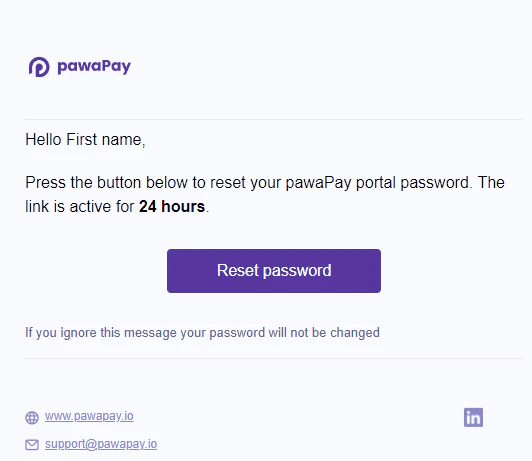
 You will receive an email with a link to reset your password. Press on the "Reset password" button.
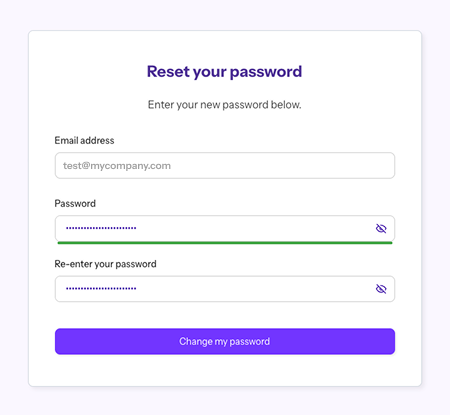
 You will be forwarded to the password reset page where you can enter your new password. When done, press on "Change my password".
 You will then be forwarded to our [log in page](https://dashboard.pawapay.io/) to log in with your new password.
## Activating your account
When invited to our dashboard, you will receive an invitation email with an activation link.
You will then be forwarded to our [log in page](https://dashboard.pawapay.io/) to log in with your new password.
## Activating your account
When invited to our dashboard, you will receive an invitation email with an activation link.
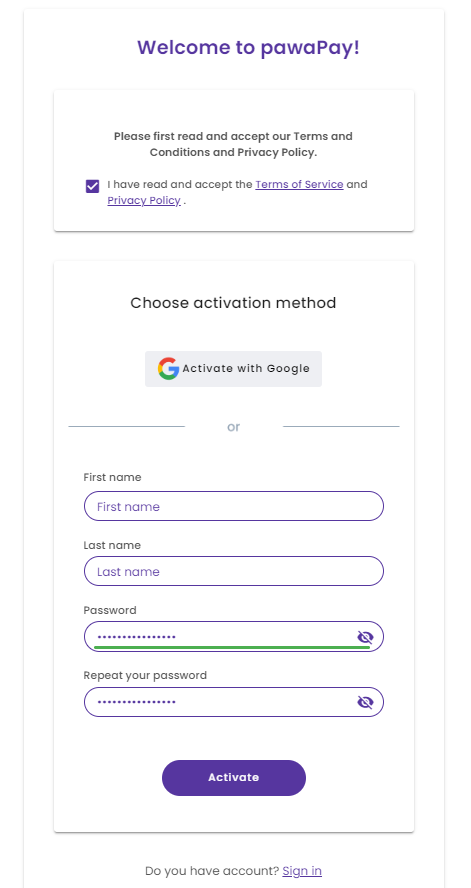
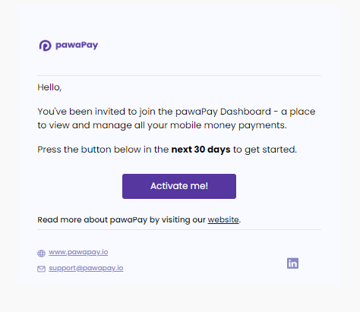 Pressing on "Activate" will take you to the account activation page where you are asked to read and accept our Terms and Conditions and Privacy Policy, and choose your authentication method - Google or username and password.
The password meter at the bottom of the "Password" input helps you choose a strong password to secure your account.
Pressing on "Activate" will take you to the account activation page where you are asked to read and accept our Terms and Conditions and Privacy Policy, and choose your authentication method - Google or username and password.
The password meter at the bottom of the "Password" input helps you choose a strong password to secure your account.
 Pressing "Activate" will take you to our Dashboard [log in page](https://dashboard.pawapay.io/).